Pelican + Gitlab CI/CD + Gitlab Pages
💡I wanted to setup a place for some of my dev notes. For myself, but also to maybe share?
Pelican site setup
Up and running
- Follow steps on docs.getpelican.com
- Create a sample post under
/content
If a Makefile was created:
- Run
make devserverto serve and regenerate on content change
If not:
- Run
pelican contentto build - Run
pelican --listento serve
Theming
- Find a theme on www.pelicanthemes.com
- Follow install steps here
Use Gitlab CI/CD to build and deploy to gitlab.io
Configure pelican to work on gitlab pages
- Change
OUTPUTDIRon theMakefiletoOUTPUTDIR=$(BASEDIR)/public(or setOUTPUT_PATHonpelicanconf.py), as Gitlab docs state that:GitLab always deploys your website from a specific folder called public in your repository.
Setup .gitlab-ci.yml
- Create a
requirements.txtwith the required dependencies, eg:
Markdown==3.2.2
pelican==4.5.4
- Create a
.gitlab-ci.ymlat the project's root, with a minimal script like:
image: python:3.7.0

pages:
    stage: deploy
    script:
    - apt-get update -qq && apt-get install -y -qq python python-pip
    - pip install -r requirements.txt
    - make html
    - make publish
    artifacts:
        paths:
            - public/
    only:
    - master
Deploy!
Note: Gitlab docs also require the repo name to be username.gitlab.io, for it's artifact to be deployed to gitlab pages.
Another note: The repo needs to be public for this to work, BUT it can be set up like this:
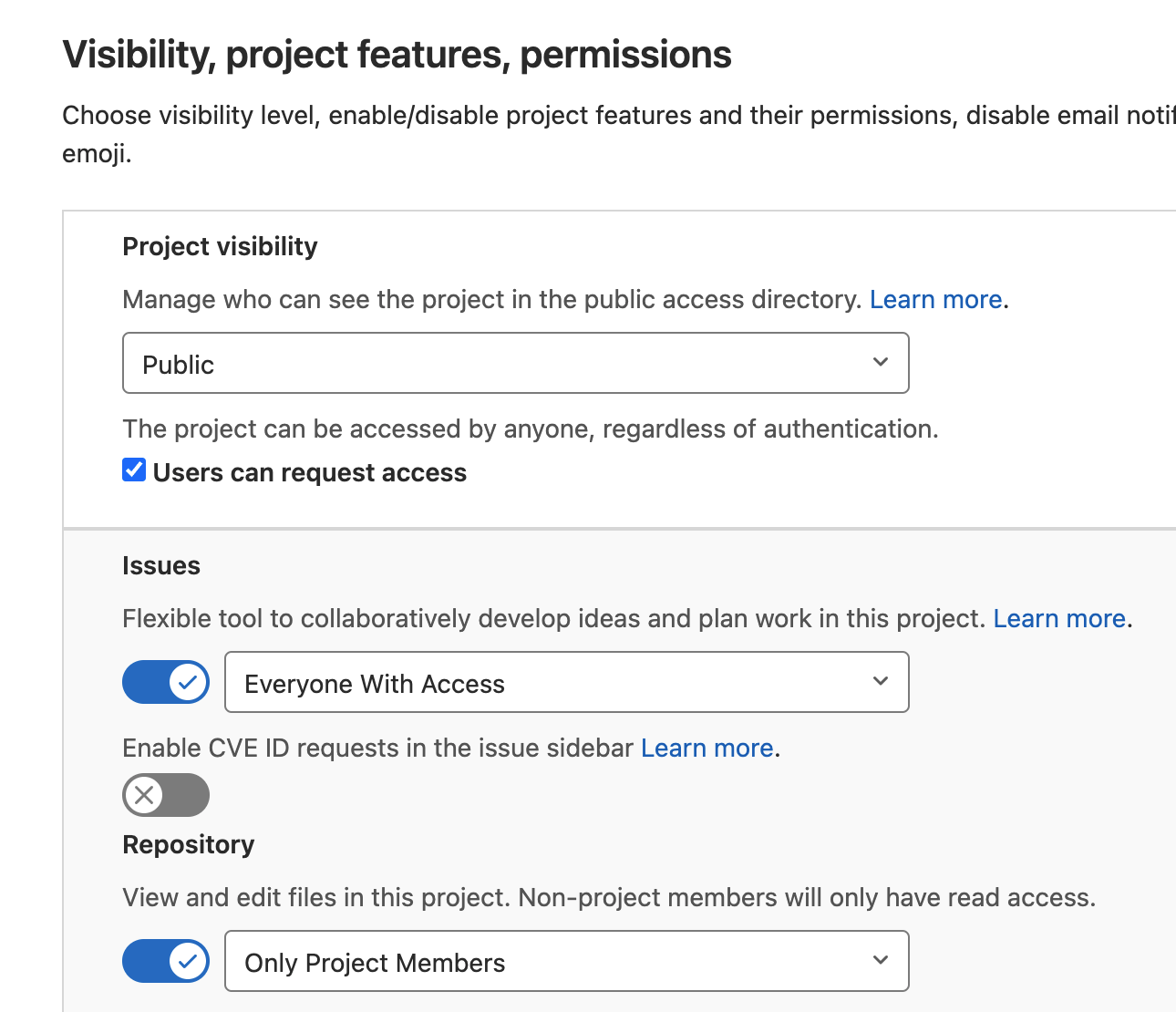 Just make sure
 Pages is set to Everyone with access.
- Commit and push to master 💪
- Then, look for a new pipeline execution under the
CI/CDtab on Gitlab.
Comments